


- Compatible with XF versions
- 2.2; 2.3
Installation Instructions:
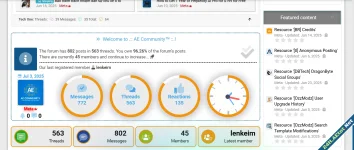
1- From the control panel, go to >> Appearance >> Widgets >> Add Widget >> and select HTML.
2- Enter the widget key: for example, digital_clock.
3- From the Display in Positions menu: select Forums > Sidebar.
4- In the template, copy the following attached code.
CSS:
You must log in to view
(287 lines)


![[EF] Halloween Decor](/data/resource_icons/0/634.jpg?1761112560)

![[XB] XFRM: Purchasable Resources](/data/resource_icons/0/589.jpg?1760024912)
