

- Compatible with XF versions
- XF 2.2; 2.3
Description:
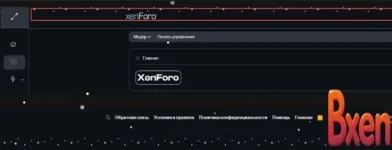
This resource adds a gentle, animated snowfall effect to your forum's Header and Footer. Unlike older scripts, this version is purely CSS, lightweight, and optimized for XenForo 2.3.
Key Features:
 Click-through Safe: Uses pointer-events: none so it never interferes with your logo, navigation, or footer links.
 High Contrast: Includes a subtle shadow filter, making white snowflakes visible even on white/light headers.
 CSS Only: No JavaScript required.
 Responsive: Covers the full area of the header/footer automatically.
- Open Admin Control Panel:
Go to Appearance -> Styles. - Edit Templates:
Select your active style and click Templates. - Find Extra.less:
Search for the template named extra.less. - Paste the Code:
Add the CSS code below to the very bottom of the file.
(Paste the optimized code block from above here) - Save:
Click Save and Exit.
- Speed: Change 20s in animation: snowDrift 20s... to make it faster or slower.
- Direction: If you want the snow to fall straight down instead of diagonally, change the keyframe to background-position: 0 250px;.
CSS:
You must log in to view
(53 lines)



![[EF] Halloween Decor](/data/resource_icons/0/634.jpg?1761112560)

![[XB] XFRM: Purchasable Resources](/data/resource_icons/0/589.jpg?1760024912)
