
sidebar
-
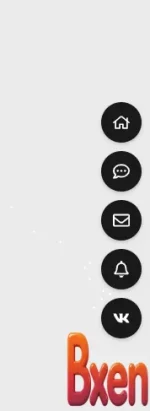
Tutorial How to Add a Floating Sidebar Navigation in XenForo 2.3 Sidebar
find: PAGE_CONTAINER , paste code </body>- Meta
- Thread
- Replies: 0
- Forum: Tips & Tutorials
-
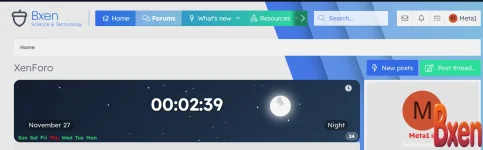
Tutorial Clock code in the sidebar clock
Installation Instructions: 1- From the control panel, go to >> Appearance >> Widgets >> Add Widget >> and select HTML. 2- Enter the widget key: for example, digital_clock. 3- From the Display in Positions menu: select Forums > Sidebar. 4- In the template, copy the following attached code.- Meta
- Thread
- bxen clock
- Replies: 0
- Forum: Tips & Tutorials
-

Premier Addons [DCom] Sidebar Menu 2.0.0
This plugin moves the main navigation menu, header and user panel to the left sidebar. The work was checked on the default style. From the settings for now, enable/disable side navigation and enable/disable navigation pinning at the top of the screen when scrolling. The color scheme is taken...- Meta
- Resource
- Category: VIP ADDONS
-
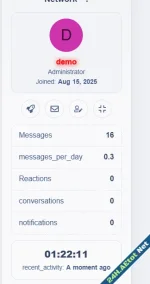
Tutorial Enhance Your Forum’s Sidebar with the AE Welcome Card
🔧 Step 1: Import the Template Go to AdminCP → Appearance → Templates Create a new template called:Paste the contents of public_widget_aeWC.html 🎨 Step 2: Add Styling Go to your Style → Templates → extra.less Paste the contents of extra_ae.less at the bottom 🧱 Step 3: Create the Widget...- Meta
- Thread
- forum
- Replies: 0
- Forum: Tips & Tutorials
-
Premier Addons [XENDEEP] XFRM Right Sidebar Pro 2.4.4
Description: An advanced sidebar enhancement plugin designed for XenForo Resource Manager (XFRM). With innovative download button integration technology and exquisite block-style design, it provides an enhanced user experience on your resource page. Key features: 🔥 Smart download button –...- Meta
- Resource
- xendeep xfrm
- Category: VIP ADDONS
-
Premier Addons XFRM Right Sidebar 2.3.2
Introduce XFRM Right Sidebar 2.3.2 is an addon for XenForo Resource Manager (XFRM) that focuses on "beautifying" and optimizing the display of the right sidebar in the Resource Manager. The main goal of this addon is to enhance the user experience through an optimal, intuitive interface, and add...- Meta
- Resource
- xfrm right
- Category: VIP ADDONS