Tips & Tutorials
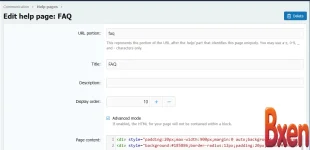
trong Page content hãy thêm code này: thêm tiếp css code vào


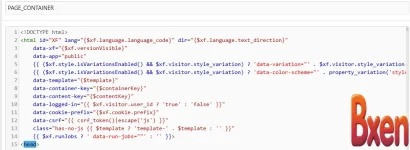
find: PAGE_CONTAINER , paste code </body>

This guide adds stylish, animated "Neon Glow" notification cards to your XenForo 2.3 sidebar or homepage. It's perfect for highlighting announcements, server updates, or holiday greetings (like...
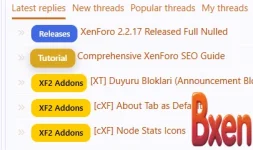
Step 1: Add CSS to extra.less Go to Admin CP → Appearance → Styles Click your active style → Templates Search extra.less → Edit template Paste this code at the very bottom: Step 2: Test It! Create...
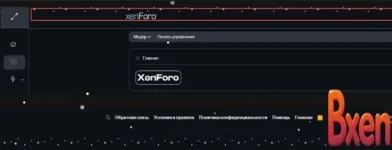
Description: This resource adds a gentle, animated snowfall effect to your forum's Header and Footer. Unlike older scripts, this version is purely CSS, lightweight, and optimized for XenForo 2.3...
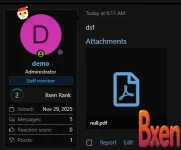
Description: Add a festive touch to your XenForo 2.x forum with this lightweight CSS modification. This adds an animated Santa Claus hat and a glowing border to user avatars in threads. Features...
This guide will show you how to add a New Year's themed snowflake cursor and a falling snow animation to your XenForo forum. This is a simple modification that works by editing your main template...

1. Basic SEO Settings Fundamental SEO configurations that can be managed directly through XenForo's default settings. Setting Area Recommended Value / Description Board Title Write a title that is...

Installation Instructions Log in to your admin page (Admin Control Panel). Go to Appearance -> Templates. In the template search box, type and open it.extra.less Paste the entire CSS snippet above...
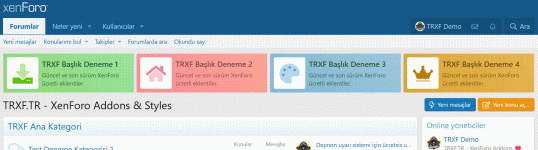
Description: Add 4 blocks of parallel information blocks to any area of your forum without using any plugins. Design Style 1: Open the template PAGE_CONTAINER your theme and look for the following...
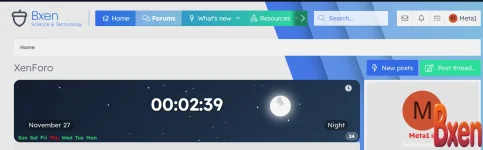
Installation Instructions: 1- From the control panel, go to >> Appearance >> Widgets >> Add Widget >> and select HTML. 2- Enter the widget key: for example, digital_clock. 3- From the Display in...
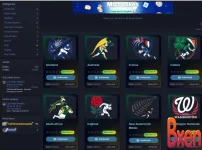
Give your Dragonbyte Shop a new look in Xenforo 2.3. Just add the following CSS code to extra.less :
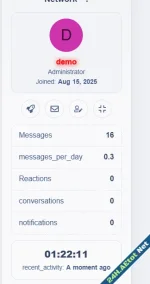
🔧 Step 1: Import the Template Go to AdminCP → Appearance → Templates Create a new template called: Paste the contents of public_widget_aeWC.html 🎨 Step 2: Add Styling Go to your Style → Templates...
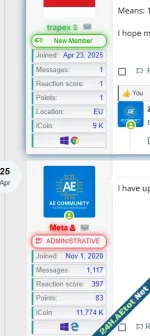
Copy the following code to the extra.less template From Groups and Licenses>> choose the group you want>> then at the user banner text, type what you want >> then choose (Other, using a custom CSS...
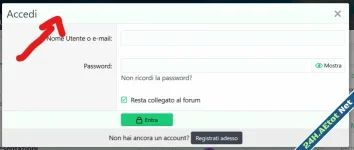
But it does not work and I see a black and aqua gradient background: It's under Admin -> Appearance -> Style properties -> Blocks -> Block header

What's the best way to automatically resize or scale them for a better viewing experience? Do i need a plugin ? I use this. Put this in extra.less
For those of you wanting to remove the Style Chooser from the bottom of your Xenforo forum. simply add this small code to your extra.less style template. Search for extra.less NOTE: this may NOT...
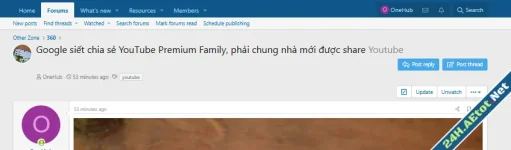
Add this code to thread_view template. Add Css:
Change the color of the clicked link Add into extra.less