
Tips & Tutorials
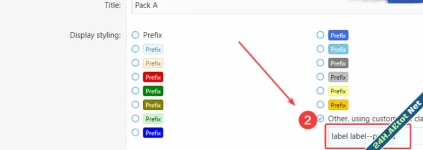
1. Create a custom prefix In admin CP, go to the forums > Thread prefixes and click on the add prefix button at the top right. put title: Pack A You can choose any prefix name you want, just...


To do this, we first log in to AdminCP> Installations> Ad manager > Add Ads. Then perform the following operations. Title : Specify any name Location : Forum Homepage: Place the following code in...

First of all, let's add the following codes to it.extra.less
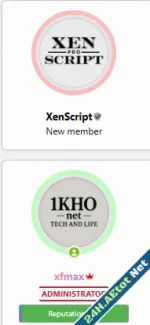
Open the message_macros template for the theme you're using and find the following code: Replace it with the following code: Add the following code to your theme's extra.less template:
![Forum Stats Coloring Icons [XENGENTR]](https://bxen.net/data/attachments/1/1690-837d194dee00b5bbf1ea7cbaf6c59bb7.jpg)
🛠️ How does it work? Just add the following code to the extra.less file of your style:

Theme not work page blank? AdminCP - Appearance - Widgets please add this widget to the widgets page
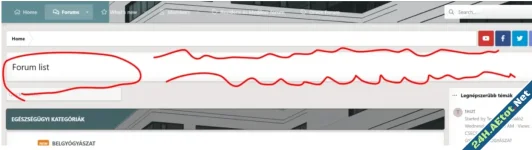
Put this code in extra.less template
![Delete Copyright on [XenGenTr] Forum istatistik sistemi](https://bxen.net/data/attachments/1/1666-187cfed1813613157b859c31ad6311cd.jpg)
In the addon directory edit the file Templater.php in: src/addons/XengenTrXGTForumistatistik/XF/Template/Templater.php Remove this code: Second solution: In your template extra.add this code: To...

For [XenGenTr] xgt: Add this code in extra.less: For [ThemeHouse] [TH] Add this code in extra.less:
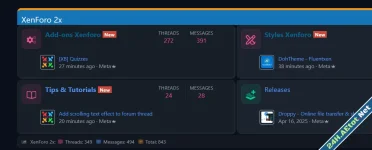
Description: Add a scrolling text feature to the forum title. It will automatically start playing the header effect as you navigate between different web pages. Making a modification Template...

You can make your forum look nicer by customizing the TRXF forum list and topic view block. Topic view (System) Topic view (Dark) Source view:
Add statistics to your forum in the form of widget tabs system without plugins. Description: Add statistics to your forum in the form of a widget tab system without the need for any plugins...
XenForo 2 Admin panel path change I will tell you about the xenforo admin panel name change process for xenforo security purposes. Xenforo admin panel change work consists of stages 1.ad: Open...
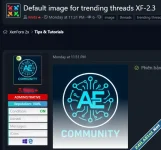
XenForo 2.2.X The theme you are using thread_view open the template and find the following code: Just below, add the code below: XenForo 2.3.X The theme you are using thread_view open the template...
With this simple template modification trending threads without image will have an image by default. Upload a default image to your server, for example (you can create a new folder in the assets...

Hide user nformation 1- Preview after installation 2- Add the below code to extra.less template
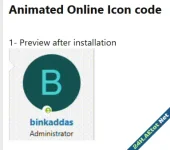
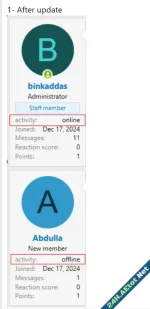
Online - Offline status to Postbit 2 open message_macros template and find the below code 3- Add the following code above the code