
Tips & Tutorials
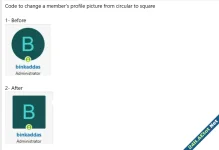
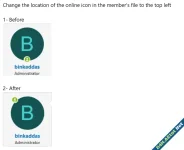
3- Add the below code to extra.less template

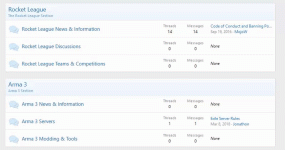
Chỉ cần thêm đoạn code sau vào template extra.less:
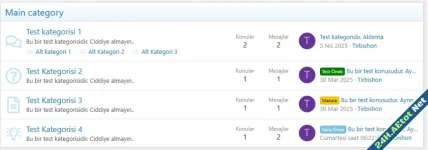
Mô tả: Hiển thị danh mục phụ trên diễn đàn của bạn ở chế độ duyệt web trên thiết bị di động. Hiển thị trên PC: Hiển thị trên điện thoại di động: Create a mod: Template: Mod key: Description: Show...
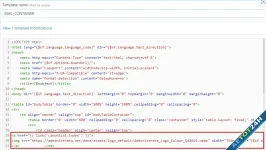
This isn't an easy option for XenForo. You can edit the email logo in the style property settings, but this only applies to Activity Summary Emails. If you want your logo to appear in emails...
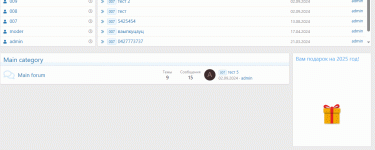
Go to widgets admin.php?widgets select add HTML widget and write the code: ta được món quà như này
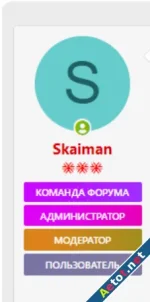
Gradient màu cho nhóm thành viên Then in the settings of the group its own class of CSS, for example: Paid Content
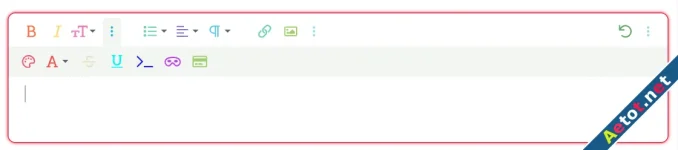
bài viết sẽ hướng dẫn bạn thêm màu cho khung soạn thảo của diễn đàn như hình ảnh minh họa đơn giản hãy nhập nội dung bên dưới vào extra.less Paid Content

Khung soạn thảo thêm chút màu cho đặc sắc như đang áp dụng trên diễn đàn Aetot. Các bạn thêm code sau: Compatibility on 2.2 check (do not have a 2.1 install to confirm compatibility): Add the...
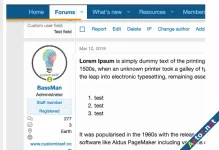
[cXF] Sticky Postbit To have a sticky postbit like this: sẽ minh họa bằng hình ảnh bên dưới Add this code to your extra.less template:
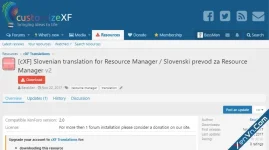
Với hướng dẫn này sẽ chỉnh cho nút tải về luôn mặc định ở bên phải nội dung tiêu đề. giúp bài viết gọn gàng dễ nhìn hơn. các bạn chỉ cần dán mã sau vào trong extra.less template Paid Content -...
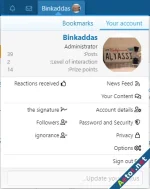
I show you the code for all forum icons, it's working for version Xenforo 2.3 All Code should be add it to ( extra.less ) 1- Main Fourm iCone 2- User Information - Code below 3- Members - Code...